Linuxblog Introduction: We took an average windows user, gave her a handful of distributions of Linux, and forced her to use each distro for one week. We gave her alsaconf, email servers, and mounted her windows partition to the fresh install. Then, we faded away and quietly watched her in her new environment. You too can join us by reading on…
 1) Look/Feel – I was impressed with the desktop. I think it has something to do with Gnome because Fedora looked similar,
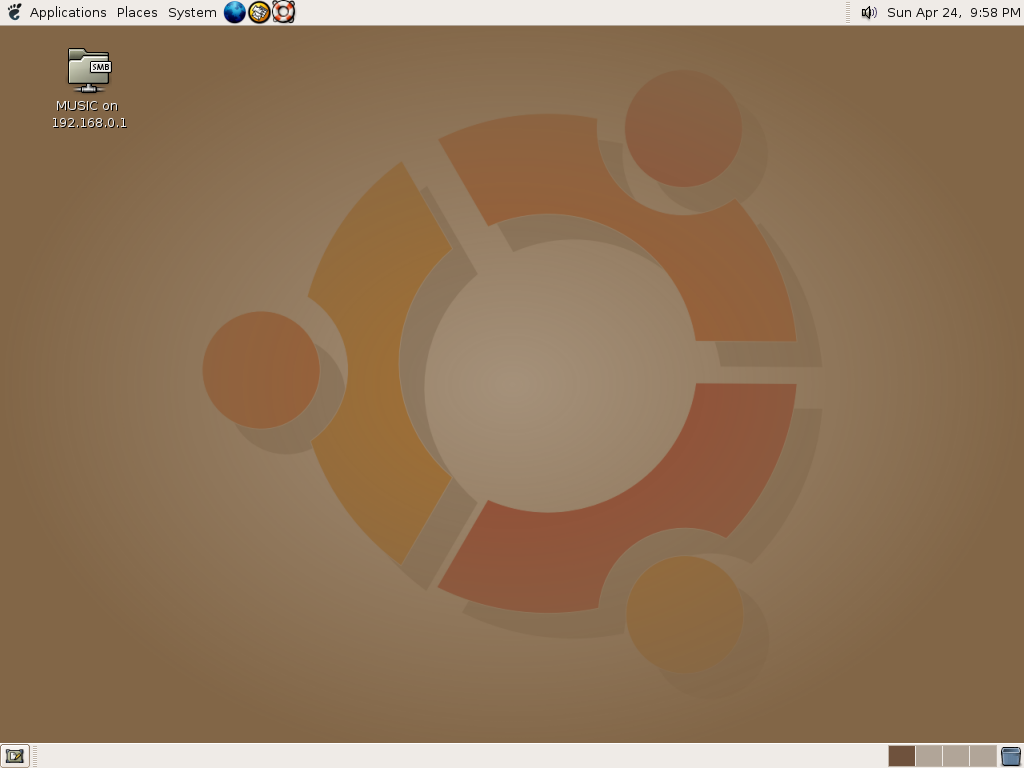 but I like the look of Ubuntu better. It’s professional looking and it makes me feel like I am using something very official. It has that cool and sleek design that I want in a desktop–one of the best looking distros I have seen. (Score – 10)
2) Performance – I have no issues with performance. Everything seemed to work as it should. It’s not slow or anything. We’re cool here. (Score – 10)
3) Hardware/Software – All of my hardware was detected properly. There are not many software choices with this distro, as was the case with Fedora. I’m told this is a Gnome thing. So this is a definite down side of Gnome for me. I like choices. Remember, downloading new programs and such is out for me for the most part, unless I can get someone to help me…which I’m not doing for these reviews as to maintain new user status. (Score – 5)
4) Upgradeability/Security – I’m just guessing that everything is okay. Same situation as before. (Score – 10)
5) Documentation – Their website is very nice and organized. There seems to be the same attention to detail and documentation as with Fedora. But as before,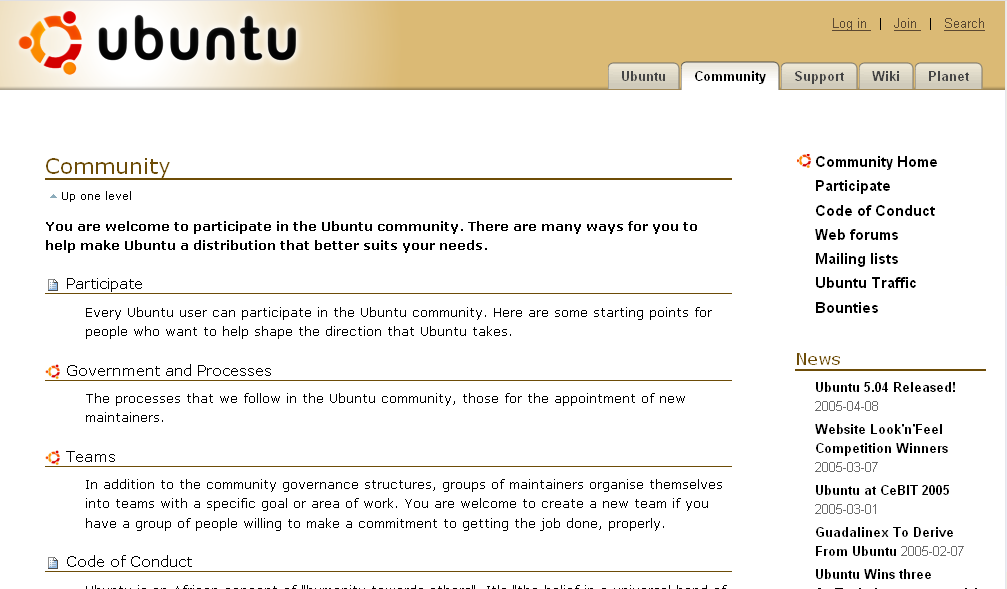 it’s not a whole lot of help to a new person like me, right off the bat that is. I am sure with lots of time a work I can figure somethings out but this is not what I am here for. I want easy answers, just like every other average person. (Score – 9)
6) Installation – Installation went okay, it was text only and involved a lot of blind guessing, but I made it through. But after the install was done, I was instructed to take out the cd and it would automatically restart. Well I was then bombarded with text flying everywhere and I didn’t know what the heck was going on. Then after about five minutes I was sure I had done something wrong so I consulted the guru and I was informed that this was part of the install. Whah, hey? It would have been nice to have some sort of warning as to what was about to happen. I thought the install was over but no, evidently I was now watching the software being installed FOR TWENTY FIVE MINUTES!!! THEN a boot screen appeared. That whole ordeal was super annoying. If I had not had someone to consult, I would have probably pulled the plug after ten minutes. I need graphics, I need explanations!! This has been the worst install yet because I was totally convinced that something had gone horribly wrong and I was ready to write it off right then and there–but I didn’t. (Score – 2)
And now…once again…it is time for my criteria…
My Criteria:
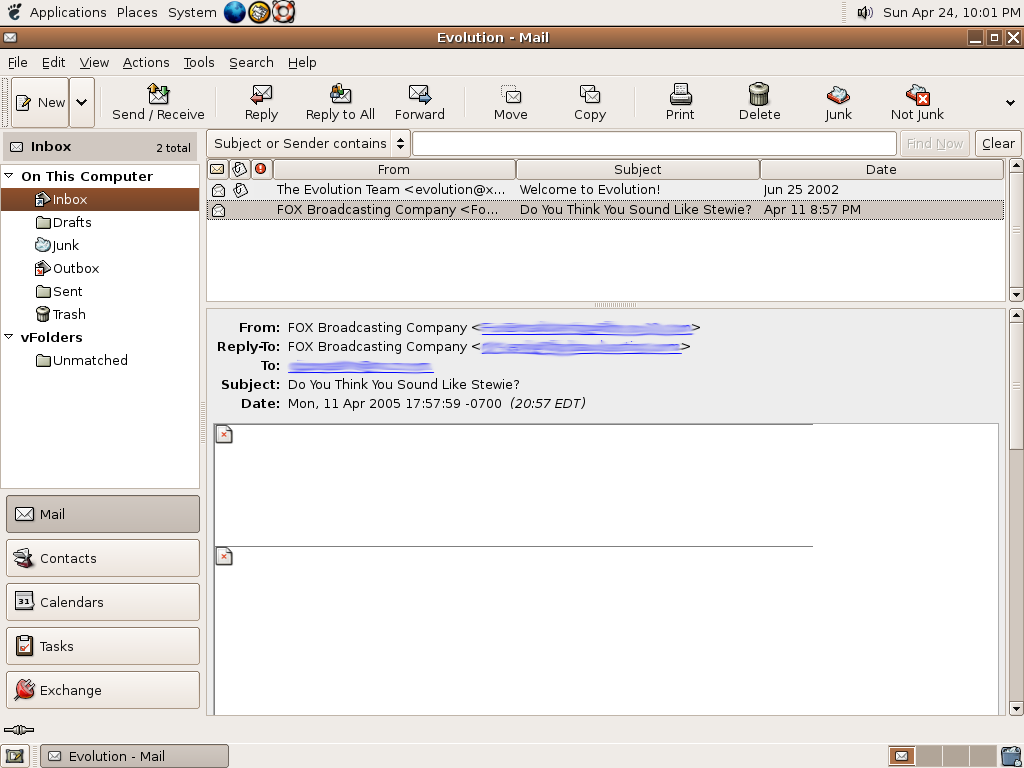 1) Mail – Easy install. Evolution is a nice program. Images are kinda slow to load but everything else was okay. Which by the way, it was Evolution in Fedora that gave me such a hard time. This leads me to believe that the problem is not with Evolution but with Fedora. –So the zero I gave Fedora in the email department is really justified. I wonder why it was so much better with Ubuntu? Anyways . . . (Score – 9)
2) Internet – My website doesn’t render, AGAIN. Plugins are not automatically installed. Flash was a snap with Firefox…but java is pretty much an instant replay of what I’ve been through with all but two distros. This aspect is really starting to bother me. If they can make it so easy in some distros, why can’t they do it with others? If people think that making it easy makes it too much like Windows, that’s just stupid. It’s like shooting yourself in the foot and I thought the idea was progress people, huh? But no one has to listen to me, it’s not like my opinion really matters anyway because I have no REAL knowledge or REAL desire to learn according to some people. The thing that bothers me most in this experiment is people telling me to just “learn†how to do things. Well I would, if I were not busy playing the part of a new user with each and every distro. I don’t think some people realize how much effort I put in to being an actual new user every time. I actually have to refrain from doing things that are too advanced and have to remind myself how I was using Mandrake (the first one I tried). I have to constantly keep that frame of mind without dumbing myself down too much. It’s not that easy. How many casual PC users know to go to forums and ask questions about how to install or use a new program. How many Windows users do you know that go to forums to find out how to install Java or Shockwave? Big fat zero, why? Because it’s already done for you. That being said, who is going to choose the hard way when the up side may be saving some cash but the down side is spending six months learning how to get your computer to the point that in Windows would take a few hours? Most people either figure it out on their own or not at all. That’s the bottom line, sorry to step on your toes folks but this is how it really works with us dummy’s. –Whew, I needed to get that off my chest! (Score – 2)
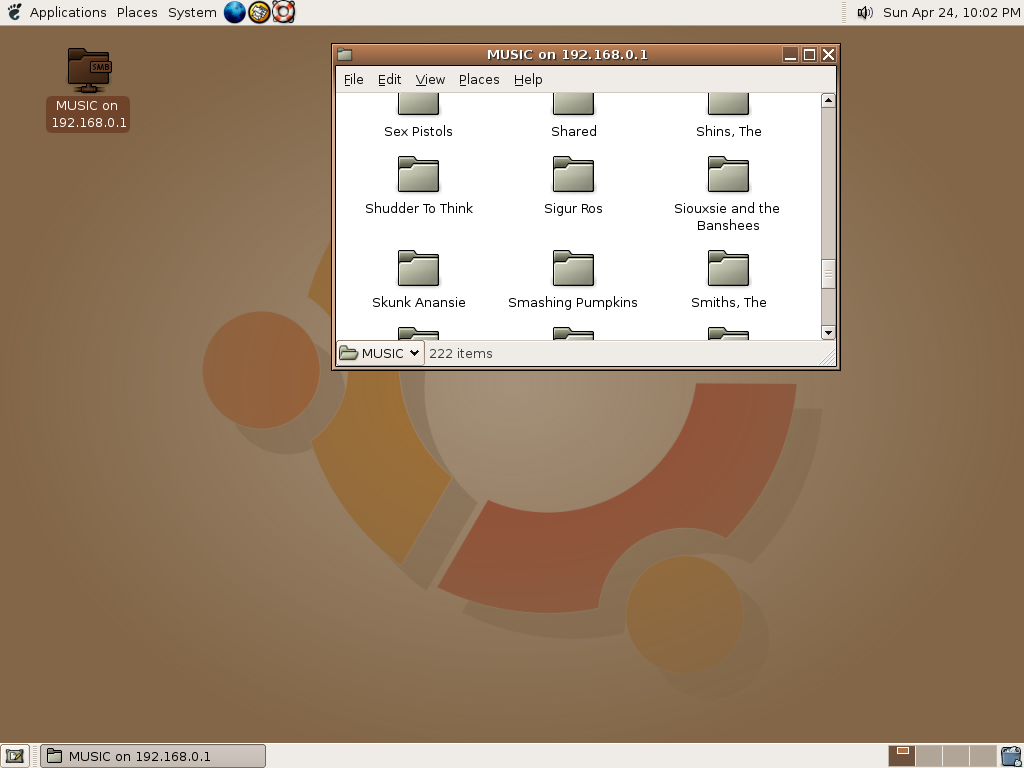 3) Listening To Music – I have no time for players that don’t play mp3s. I could not find a single player that would play my
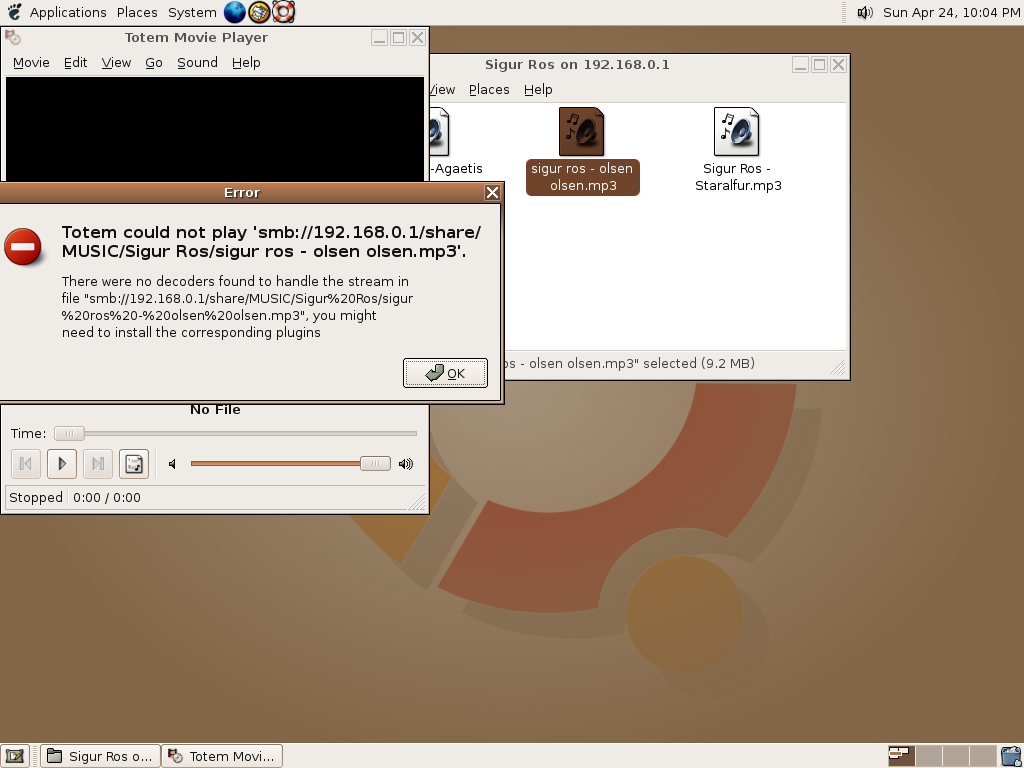 mp3s. I have over 5,000 mp3s and I am not about to change my format now. Nor do I have the knowhow to “just install this, it’s easy as pieâ€. –Yes, I am getting bitter, let’s just say it’s a good thing we are at the close of this experiment. (Score – 1)
4) Download Music/Files – Again, no programs by default and again I am not advanced enough to download the programs on my own. (Score – 0)
5) Burning CDs – Wow, this is a first, no burner comes with Ubuntu. WHY? How is this new user friendly? Editors Note: Ubuntu does come with the Gnome burner, but it is not easy to find. Also, when Mrs.Devnet put in a CD it did not pop open like so many of you keep telling Linux Blog it does. Nothing happened. This being said, the burner will still score 0 because it is no use to Mrs.D if she can’t find it and if it doesn’t work. (Score – 0)
So I have asked the question, how can a distro that looks absolutely fantastic be so useless? Well, the answer I sort of half understood, it had something to do with the fact that it was Gnome based and there is some sort of space issue. So okay, you want it to be compact and all but how is this attractive to a new user or a Linux convert? Um, it’s not. There has got to be a way to have both, to some extent. I really wanted this to be an awesome distro, but while it held up to standard expectations, it obviously fell short of mine.
Mrs.Devnet

So the Ubuntu covers have been pulled back! About friggin’ time. It seems that there have only been a few voices in the wilderness saying exactly what you have said, but we have been drowned out by the marching bands and victory parades for Ubuntu. Thank you Mrs. Devnet for an honest appraisal of this distro. Now don’t get me wrong…I truely appreciate Mark Shuttleworth and his efforts, but if all his millions are producing half-hearted efforts like (K)Ubuntu, then something is wrong here. Maybe those closest to him just don’t want to burst his bubble. It also was refreshing to see you discharge both barrels in explaining your “role” in this experiment…I thought that had been discussed at the beginning of this endeavor.
It has been difficult for many of us not to act the gentlemen and lay our coats over the muddy surface that is the Linux Learning Experience, so that you could cross without incident. I am also glad that you informed your public that you actually DO have the talents and intelligence to do more than you did in this experiment. You represent the future of Linux and the challenges we face in getting people to use Linux. May I be so bold in offering you our thanks for your time and effort in doing what you have done.
helios.
I think some of the judgements were a little unfair towards Ubuntu.
For example the install does warn that upon reboot it will upgrade your software if you have an active internet connection and what not, I feel you might have skimmed what it said and thus didn’t realize that the install wasn’t over because you didn’t read fully enough rather than a failing of Ubuntu. Granted they could have found a prettier [and more noticable way] to inform you of this but if you aren’t going to read every last work carefully that isn’t Ubuntu’s fault.
Similarly the mp3 issue is one of legality, some distrobutions don’t include mp3 capability by default because some countries require a license fee and they don’t want users install something illegal by default.
Not to mention the Ubuntu package manager makes it rediculously easy to install the stuff that isn’t included by default. You just open it, enter the root password, click the stuff you want install and hit go and everything is installed [including dependencies] auto-matically through apt-get. Xmms and whatever other programs you wanted could have easily been installed to allow mp3 playback and p2p as well.
Not that I’m a Ubuntu zealot, I don’t even use the distro personally, but I think some of the judgement is a bit unfair. It would be like install Windows not ever reading how to install their programs and then complaining because it doesn’t ship with p2p or play aac or ogg files by default in WMP when all my files are in that format.
That said, I do think its great that you have taken a new users approach to judging linux distros, especially the installation part because installation of an OS isn’t easy for any OS including MS.
But I think it was maybe a bit unrealistic [in terms of the experiement] to assume that linux [or windows or any OS] should be catered to your needs straight out of the box. Windows doesn’t even do that. [Does Windows ship with java now?]
Maybe there should have been a category for installing software for all the distros, since I think it unfair to blame distro managers for not installing every program possible to cater to as many new users as is possible.
Not to whine, I just don’t think the parameters were necessarily the most realistic is all.
I have a 12 year old daughter that can install windows xp with sp2 without a moments hesitation. You click an mp3 to play in windows xp…wmp opens immediately and plays the file. You said yourself that you do not use the distro…I had it on my hd for 30 days and I will tell you this. Ubuntu is crippled, along with Suse and a few others when it comes to multimedia and lets not kid ourselves. Multimedia is the main concern for the average home user. Why do people insist that linux users must WORK to get what they want. My distro, pclinuxOS works with video card, streaming, java, shock…everything without doing anything but booting it. Tell me again, why doesn’t ubuntu? There is no excuse for a linux distro to tout itself as “ready for the desktop” when its not. Its all about the New User. Let them get it working to their satisfaction then “ease” them into the Linux way. That’s the only way we’re going to gain market share for Linux…then again, some people are simply resistant to change.
h
your 12 year old knows how to go through an install of winXP? choosing a partition and everything else? if she had never known a thing about computers before she’d know how to update the system? she’d know how to install a program?
now it’ll agree that your daughter can handle these tasks no problem, but the point is that she had to learn double clicking, right-clicking, etc. etc. that might not seem like a lot but it is unintuitive knowledge that needs to be learned at some point. to claim that a Linux distro isn’t ready for the desktop because it doesn’t want to EXACTLY mirror windows in how it does things doesn’t mean it isn’t necessarly easy to use, but rather equally easy to use but required a similar amount of knowledge to get into the system.
take for example someone who has only used say slackware Linux for their whole life and never seen windows before. if they were to sit down in front of windows without any knowledge of it they wouldn’t know how to install programs either, they’d have to LEARN all it takes is a double click and follow the onscreen instructions. similarly ubuntu [for example] takes going to its package management system clicking a few things and hitting go and everything magically goes.
not to mention that gnome is windows-ing Linux. double-click a movie and totem opens and plays it, double-click any other non-license requiring format and it’ll play that too.
not to say that windows has the market on use, it requires downloading codecs, all my movies are in divx and i need to find, download, and install that codec in windows to watch my movies. would a windows newbie know about that? i generally put mplayer on all my windows machines because it is just double-click and it plays, no problem.
and i don’t mean to be a pain about it but i just feel some of it is undeserved criticism. the java plugin for firefox is a VERY legitimate complaint and i wholeheartedly agree, if you install jre with the distro make the damn symlink by default as well.
but mp3 playback becomes a legal issue that some distros don’t want to get muddled with by default, you can easily download to fix, same with the p2p stuff.
i mean i think comparing the distros is/was a great idea for a newbie, but i think it is easy to forget that mrs. devnet’s native OS is windows and her familiarity with it required knowledge as well.
i think it naive to expect to be 100% satisfied with a os without ever having to install a program. where was the office/productivity category? windows doesn’t ship with that by default, or PDF support, or DVD support, etc, etc.
even a newbie has to learn SOMETHING to use an OS i think installing of programs is one of the necessary things to learn.
This has to be said again: Java, MP3, and other things that can’t ship with distros because they’re not Free are one of the biggest pains to install. We MUST find some way out of this.
If you can’t read what I wrote and why I wrote it then don’t bother commenting on it.
Throughout this experiment I’ve repeatedly had to defend myself against people who say, “why don’t you just install this” or “mp3’s don’t play because of legal issues”. Well, I somehow found two distributions that 1. Don’t need anything installed and 2. Somehow magically play mp3’s and 3. Don’t require any java, flash, or shockwave stuff installed. Odd right? Somehow, some distros are getting it done.
Ubuntu getting a 4 was truly justified. It is not ready for a new user. PCLinuxOS getting a 10 and SimplyMEPIS a 8 is justified BECAUSE THEY WORK. Why can’t I expect something to work FOR me? I’m the consumer and it is supposed to be ready for me.
If I have to have a Linux expert next to me in order to use Linux then I don’t want it. SimplyMEPIS and PCLinuxOS work just fine right from the start.
If my mother, who is 64, can learn Windows XP Home…can install it by herself, and can get java, flash, and shockwave installed HAVING NO PRE-EXISTING COMPUTER EXPERIENCE…then anyone can. 2 clicks to install just about anything and she’s up and running.
If I gave her Ubuntu…she could probably run it and use it but it would fall short for her…she’d never figure out how to put java on…she’d never figure out how to get flash/shockwave installed. Installing other programs? No way.
The bottom line…you forget that people will pay for convenience and if you are giving them something for free that ISN’T cnvenient…they’ll go back to paying.
okay i understand your complaints and i did mention that if jave IS included that not setting up your browser to use is a bad thing.
but the point is that there are free [as in freedom] and free [as in beer] consequences putting java and mp3 compatibility into the distro. if it illegal where your grandmother lives to play mp3s without a player that hasn’t paid the mp3 licensing fees then if the distro includes that IT is liable for damages, but if it doesn’t include and you download it and install then YOU are liable. it would be like a distro including mp3s of a metallica CD, sure it wouldn’t be illegal for a lot of users because odds are they have that CD and are allowed to have a digital backup, but for many others it would be illegal and thus they don’t do it. mircosoft can pay the licensing fees and then just pushes that cost on the consumer when you buy microsoft.
i also find it highly unlikely that your grandmother sat down in front a PC with a blank hard-drive a windowsXP cd and was playing music, video, and perfectly browsing the web without asking a single question. your ignoring the point that there is basic knowledge that has to learned w/ any OS. did your grandmother just assume that clicking on things was a good idea? she learned these things, perhaps from culture long before sitting down to the computer.
the point is that every newbie is going to have to get help no matter what. Windows is just so pervasive into the culture that the basics are taught without having to be in front of a computer. [you hear stories about people wanting to buy bigger mousepads/desks because they ran out of space to move the mouse to the right and what they want to click is beyond that. or why doesn’t my computer work why the power is out at my house.]
your comparing a OS that comes prepared on a PC put together by a distibuter [Dell, Gateway, Etc] for a specific market to a company/collective/group who is just packaging an OS/programs together for an unknown market. it isn’t a fair comparison.
Hi
I have to agree on the following. Mrs Devnet jugment on a Linux distro is very bias because she is coming already with certain expectation(Windows). She is used to work in a certain way, click here and there and that is all. That is the window mentally.
In order for this experiment to show results is to put a person who has no experience in any OS. But is there such a person in the world?
to work with a windows machine, ones need to read book, take courses, play with it and install different kind ofprograms. That is the only way to give a good informed opinion on an OS.
Mrs devnet just want something to work like windows and linux is not like windows. If you want to work with Linux, you need to get your hands dirty. You need to informed yourself and be prepare for it.
Thanks
Alfredito…I am going to agree with you on a couple of your points. However I want to ask you a question. Where do you stand on Linux? I mean, is it just fine the way it is, or do you want to see it more widely used and accepted. If you believe that Linux is the way now it should always be, then I suppose the conversation is over, however I consider that a bit selfish…and I give you the benefit of the doubt that you have not considered this aspect. I am sure you are not a selfish person. However, I ask you to look at it from another standpoint. For years, Microsoft has taken our money, provided us with sub-standard software and exposed us to things that have almost cost many of us financial ruin. The blame probably could be spread equally between ignorant users and Microsoft itself for that matter…but even with a 50 percent blame factor, that is unacceptable. I will say it again. Make Linux ENOUGH like Windows to make the New User comfortable, then slowly initiate them into the Linux Way. Why is that so difficult for people to understand? Texstar and Tom Kelly get it. Why can’t the other distribution developers. It is beyond me. And yes, (K)Ubuntu falls into the lacking catagory.
h
I use two distros as I have said before. They are at opposite ends of the scale. Gentoo takes days to set up, PCLinuxOS just loads up in 15minutes. But they have one thing in common, which is that they don’t have hangups about free (as in no fee) but proprietory (as in not GPL/LGPL etc) software. In Gentoo, if you set “dvd” as one of your USE flags, you get libdvdcss included in the basic KDE install! PCLinuxOS seems to included everything but libdvdcss, but it is on their mirrors.
Both these distros are hosted as far as I know in the USA which in terms of copyright laws and lack of freedom in software, not to mention well-organised industry pressure groups to protect copyrights, is about as repressive as you can get.
When I used to use Mandrake I had to add PLF and Texstar to my software repositories to get basic media stuff like MPlayer to be of any use. Texstar was hosted at ibiblio (USA) and PLF is hosted in France (part of EU). Did anyone attempt to shut them down or prosecute them? I don’t recall it!
To be charitable to many distros out there, they all have a purpose, and will suit some people and not others. If someone wants to equip office computers with basic office programs, and network them, and doesn’t want users playing music all day, then PCLOS would be wrong for them!
But what has been designed in PCLOS is a system for Home Users who want to just get behind the wheel and drive. OK once up and running, they can learn to add and update programs, get under the hood and tune up the engine until it’s just right, whatever they want to do.
On my home computer, I can see why Gentoo is better than PCLOS, but one takes days to get started and weeks to build up adding programs one at a time, whereas the other is up and running with a great default set of programs in about 10-15 minutes.
I think Mrs Devnet is right. PCLOS is just right for new users. Eventually they will learn how to add and update programs. Some will go on to learn how to fix things in terminal boxes. But first impressions matter, and the initial ease of use, coupled with careful artwork and recognition of what the average home user uses their computer for, is crucial if we are to get Linux adopted by the general public!
DAVE
Rob,
It’s obvious that you haven’t read the experiment in its entirity. Otherwise you would know where Mrs.D get’s her judgement from and what she is review and why she’s reviewing it that way.
You didn’t even read Mrs.D’s post to see that it was her mother and not her grandmother!
Perhaps you should re-read everything under ‘reviews’ and get a feel for what we were trying to do and realize that we aren’t attacking Linux but making it better. We’re not trouncing your fav distro or anyone elses for that matter. We’re trying to find the most friendly to Windows Converts.
Licenses be damned, GPL be damned, IP be damned, and the Linux Social movement be damned. That’s not what is being discussed her. What we’re speaking of is Desktop Linux and how it suits new users. Period.
Alfredito said,
“I have to agree on the following. Mrs Devnet jugment on a Linux distro is very bias because she is coming already with certain expectation(Windows). She is used to work in a certain way, click here and there and that is all. That is the window mentally.”
I’d just like to say that you have an uncanny grasp of the blatantly obvious. You just stated something so unprofound it amazed me…
Show me someone who uses a computer that hasn’t used Windows before. Right…that doesn’t happen. I doubt anyone hasn’t used Windows. That being said, you cannot use it as an excuse to show BIAS because EVERYONE is biased then. All reviews are biased as well. And if this is your argument…then you are just repeating what everone knows…blatantly obvious! See what I mean? By using this argument you nullify all or any reviews from being valid.
I know why you made this argument though…you felt as though Ubuntu needed defending. I’m sure there will be more people that flock in to tell me that my blog sux and that Mrs.D is biased and that she doesn’t know what she’s talking about and that I don’t know what I’m talking about. But we have accomplished what I set out to do and I’m very proud of my wife and this experiment.
If you’d like to understand further what we set out to do with this experiment, please read “Reviews” in its entirity…that whole category is chock full of our reasons for doing stuff and our aim and goals.
If one is truly comparing Windows to Linux distros and doesn’t want to learn how to install and update packages then it seems somewhat logical to me to assume that he/she also does not do these things in windows either. No windows update, no installing java, no codecs for watching movies, no winrar, no file shareing apps, no mp3 ripper..nothing. All of these need to be downloaded and installed which required the knowledge of how to search for files online using a web browser. This would fit in with your statement of user forums to get help. How does a new Windows user know to do these things? They don’t, they have to learn how to first. Learning to click on the synaptic link in your “start menu” on linux and browsing the available packages is easier than searching the web for a package that you don’t even know the name of (ie: whats are all these .rar and .rXX files? What the heck program do I need for it? I thought I downloaded a full music album.
It seems strange to me that a file sharing app is of great importance yet codec installation is not.. they really do go hand in hand.
Updating and installing packages in linux can be, to a windows user, either next to impossible or amazingly simple depending on the distro. Using something like synaptic to install packages is just as easy if not easier than windows update. Windows update takes no less than 5 clicks AND waiting through a reboot. Synaptic is just as easy (I personally think its much easier, no searching the web for packages). With the desktop tools available today in linux there are very few things that are harder to install/setup compared to windows. Java may be an issue, but blame sun for that not linux. You can’t sit there and praise linux for things that are the result of it being “free” in all/most aspects and then turn around and complain that something that is non-free doesn’t work properly. If it weren’t for the “free” attitude of linux you would never have been writing this article in the first place and your new distro of choice, PCLinuxOS, would have never been created as its based on Mandrake which is a GPL’d distro.
Basically, my point is this… there is not a single operating system out there that a person can sit down at and be 100% comfortable with right off the bat. EVERY OS/distro out there takes some sort of learning to be able to use productively. PCLinuxOS as Mrs. Devnet does however come close to this. Its more complete than windows is on a fresh install, there is no comparison.
A windows users knows how to google for a program they need, why is it such a fetch to learn to click on a shortcut to synaptic?
I’ve lost focus now so I’ll stop typing
some people just don’t get it. some people won’t ever get it i guess . . . too bad.
"The real voyage of discovery consists not in seeking new landscapes, but in having new eyes" Marcel ProustI figured that I’d have to do something like this. Too many it seems look upon this experiment as "Just another Review" with
I’ve thoroughly enjoyed reading these reviews and didn’t mind at all when Mrs. Devnet slated my particular favourite distro (Mandrake). Different distros suit different people, I love the look of Fedora but I can’t use any Fedora based distro as my sound card just won’t work with them. That doesn’t mean the distro is useless, it just means it doesn’t suit me.
Mrs. Devnet has done a great job of reviewing these distros from a new user’s perspective without any bias in my opinion.
Mr Devnet
I am afraid that you approach and hers is wrong. Everybody is trying to compare windows vs. Linux. These are two different things. They come from different places. The work in a different way.
If you want to work with Linux, one needs to be open and prepare for that kind of world. You need to create different needs and expectatives. It is a different mentallity. It is a different way of thinking.
When a person wants to try Linux, it is like learning a new language. One need to change how the brain works in order to learn how to speak the new languange. You can’t carry over you old habits and try to implement them with the new language. You need to learn the new syntax, new idioms, new culture in order to get good results.
One cant give an opinion of something like linux when you just spend a few days with the software clicking here and there. Your experiment has wrong results because of Mrs Devnet lack of time to do research, lack of time to learn how linux works.
I think she is very happy with windows. she should stay with it. But if she wants to try Linux then she has to change her hat and wear a different one.
“If you want to work with Linux, one needs to be open and prepare for that kind of world. You need to create different needs and expectatives. It is a different mentallity. It is a different way of thinking.”
I’m sorry, I don’t completely agree with you here.
The reviews here are from the perspective of a Windows user who is trying different distrobutions of Linux to see which one best suits HER needs. One thing she doesn’t like in one distro doesn’t mean its bad – it just means that it is something that could put off a new user to linux having previously used Windows.
From what I read, the reviews aren’t meant to be a review of Linux vs. Windows from the ground up without experience of either of them.
Why do we need to get our hands dirty with Linux? Who says? You? Couldn’t it be easier and if it isn’t, why isn’t it? This is what I’m talking about…YOU have the mentality that people need to work for Linux in order for Linux to work. THAT is wrong. Approach it from a different perspective and then you’ll tap into what a handful of us believe…that Linux should work for us.
The experiment set out NOT TO TEACH MRS.DEVNET…BUT TO SEE IF SHE COULD FIND SOMETHING THAT FIT HER RIGHT AWAY.
Since she is a Windows user…she’s going to compare apples and oranges…Windows and Linux…regardless if we want her to or not. So leaving this mentality out is impossible…it’s always going to be there because people base things on stuff they’ve tried. They don’t know Linux from windows…other than what they’ve heard. They don’t know there is a different syntax or filesystem…so wouldn’t it be great if they could EASILY transfer in between Windows and Linux with less work? That’s what we’re after…Linux with less work for a new user.
Good one! What ever you use (distro) you like more and you are comfortable with it so natrutrally you said this is good. If you really would like to get hold of distro wars use standards and that is the only way it will be accepted by everyone IMPO
While I agree with some of the comments made above (like missing a burning app by default), some things are wrong here.
First off, MEPIS is distributing Java, MP3 and several other conviences. But the way this is done is not legal (like downloading WinXP from the internet). Ubuntu has an organization behind it, which can be sued for such actions.
Secondly, if you do a clean install of WinXP, you do get Windows media player. But you don’t have Flash and Java by default. Media player does not play ogg or even quicktime, these are seperate installs (so, not so different from Ubuntu).
Your clean WinXP install now requires applications to work, you need to buy Office and install it, get photoshop and install it, …
More important, you need to go through to process of installing AV software. Your XP has opened up some ports to the internet, you will require a firewall, …
Not exactly end user material in my opinion.
All that said, everyone is free to use whatever they like, be it Windows, Linux or anything else. But if you use Windows, you should have bought it legally (together with the other software on your system).
I think one point that is being sorely missed here is that Linux has never been, nor will ever be, suited to the ‘newbie’ desktop. It’s a technical operating system that, with patience, is incredibly powerful.
Joe User wants convenience, and if he has to pay for it then he will (or he’ll steal it, more often than not). The people who use a computer as a glorified home entertainment system have never been and will never be the target market for Linux desktops, although Linux use in ‘set top boxes’ is ever increasing.
If ppl here won’t agree with you don’t meand they don’t get it, maybe they aren’t the one whos got problems with comprehension.
If it’s OK to bunlde mp3 support, would Mrs. Devnet give 10+/10 for distro which bundles crossover with photoshop and office for free?
And no way you’re able to use any OS without installing new software. If distro installs all software someone could possibly want as default, then it would be way too much for others anyway. Therefore less is better as long as it’s easy enough to install rest of what you want yourself.
And what comes installing new software, how in earth it’s easier to search for suitable package from web, maybe sometimes unzip the thing and search for setup.exe to get into clickety-wizard, than use a synaptic? Me wonders…
Mrs. Devnet, if you don’t like Ubuntu, or any other Linux, then feel free to keep using Windows. It doesn’t matter to me, and I personally think that all this “Linux on the desktop” bullshit is a waste of time better spent on actually *improving* Linux.
Having said that, I have to admit that it annoys me just a bit to read that you took up others’ time by asking questions and then chose to ignore their answers. Where I come from, that’s considered rude.
http://linux-blog.org/index.php?/archives/81-Animosity-Unfounded.html
Read that…comprehensively.
I read that, I read this article, and I stand by what I’ve said: if Linux isn’t what you want, then feel free to keep using Windows.
Please read what *I* said again: touting “Linux on the desktop” is a waste of time, and touting Linux as an OS that’s friendly to newbies who’ve turned away from Microsoft is a *bad frigging idea* precisely because of the issues you and your husband (who deserves a hand for sticking up for you) dismiss as “nonsense”. It’s not “user-friendly” yet. It’s getting there. If you don’t believe me, try installing a Linux distro from 1999, like Red Hat 5.2.
When I tell people about Linux, I tell them that it’s not like Windows; it doesn’t hold your hand, but instead expects you to know what you’re doing. If I wanted a system that held my hand, I would deal with Windows. Instead, I use Linux, because the only person or thing I want holding my hand is my wife. 🙂
I do not fully understand the ‘experiment’ I think…Mrs Devnet wanted to know if there’s a Linux distro that suited her needs right out of the box, right? Well she found two. Mepis, which got an 8 score and PClinuxOS even a 10! Congrats Mrs Devnet, I welcome you to the Linux community. Maybe in a year or two you’ll even want to make the switch to Ubuntu, mail me if you need some help.
Terrific – stay with Windows and maybe the current trend of trying to dumb-down Linux to allow for the rediculously inept Windows population to migrate to a real operating system will stop.
My friend, it is you who don’t get it.
The experiment is for distros that work OUT OF THE BOX. If you don’t understand that term…then nothing I’m saying will matter anymore.
When you tell people about Linux…you should give them a SimplyMEPIS or PCLinuxOS CD…I’ve seen a Texas LUG gain 20 members like that in the last 3 months. That’s called progress regardless if it is with only people who know the gui and know less about Linux. The mere fact that they are interested and willing to use it is a win in my book.
Hopefully, this experiment will show them how one user got her feet wet and give them the confidence they need to keep on going with Linux.
Your comments have succeeded in making me quite angry. You have some nerve, whoever you are.
I have no desire to get involved in the politics of Linux. This is mostly because of people like yourself who are arrogant and consider themselves to be part of some elite group because they know a lot about a few small areas of technology (which is one of millions of subjects in this great big world). –I have a life to live and future discussions like these will not have a part in it.
I did this experiment because I was ASKED to, you got that buddy? Not to get a pat on the back from anyone–especially the likes of you. I haven’t wasted anyone’s time, I can assure you. No one made you read this blog, how you choose to use your time is on your shoulders alone. Which by the way, I suggest you refrain from visiting here in the future since it doesn’t seem like you enjoy hearing opinions other than your own.
I also don’t appreciate your use of profanity on my husband’s webpage. Not only is it unnecessary but in my opinion it’s a feeble attempt to make your comment sound more forceful—an indication that you shouldn’t have bothered to make it in the first place.
Oh, and guess what? I am so fed up with Windows that I told my husband I want to do away with it all together. I AM NOT GOING TO STOP USING LINUX AND THERE ISN’T A THING YOU CAN DO ABOUT IT!! I might even REFUSE to learn ANYTHING just to make your elitist skin crawl!
P.S. – Don’t bother replying as I will not answer. I have nothing further to say on this matter to ANYONE.
Ahhhh, I UNDERSTAND! I don’t get many ideas folks, so you better pay attention. We may have McDonalds on Mars by the time I have another one.
Matthew you are angry because you can no longer lay claim to being part of something others (formally) could not use or understand! No longer can you claim residency to a system too complex and technical for the New User. Your innersanctum has been violated! My Lord, what are THESE people doing stomping around in my world. I can no longer peer over my glasses and chastise you for your total ignorance of Linux…My God, soon EVERYBODY will be using it.
Yep Matt, in the next 18 months, Linux will experience a growth previously unimaginable…and you know what? Devnet and I are going to spearhead part of that growth. Just remember Lobby4Linux.com. It is going to be your worst nightmare. Hey, I hear Solaris is going to open source soon. Maybe refuge can be found there…for now.
helios
Helios, if I really wanted to claim to be part of an obscure community, I’d use either FreeBSD, NetBSD, or OpenBSD.
People calm down…its one opinion in a whole wide world / web.
Thats all… an opinion.
What do you get when you take 1 new Linux user with zero Linux experience, add 5 distros and stir? You get the Linux Blog experiment, that’s what. What makes these reviews different from all other reviews is that they are done by an avid Windows user.
Oh, and, it does ship with a cd-burning app, nautilus has one built in, if you insert a blank cd-r\rw, it will start the burning app.
And one quick sudo apt-get install gnomebaker gets you a gtk-burning app, whilst sudo apt-get install k3b gets you a Qt-based app.
Kindly ‘splain to me the sudo thing in (K)Ubuntu. I know the party line from the Ubuntu webpage…but that is exactly what it is…a line. I have Ubuntu with kde multiuniverally installed for my 12 yo daughter on her computer…(Kubuntu was not available at the time of install.) The first thing I did was su into root and passwd back into the traditional way of accessing root. The sudo thing is beyond me…and as far as I am concerned, just another corruption of the Linux Way. I know other distros add their own touches and hacks, but I share devnet’s concern over the tainting of debian over time with Ubuntu. While this is not directly applicable to that specific situation, it shows Mr, Shuttleworth’s willingness to tinker with things that do not need tinkered with. Besides, it tends to confuse the user as to the real purpose of user vs root.
helios
I was curious if there would be a followup experiment article on distros involving post-install configuration and support. The reason I ask is that, in my opinion, one of the strengths of Ubuntu is the community and support structure. The web forums on the site seemed to be geared toward the novice Linux user, and have been quite helpful in my own installation.
As far as adding some of the features missing ‘out-of-the-box’, http://www.ubuntuguide.org/ covers most of the features Mrs. Devnet found missing-I’d encourage her to look it over when/if she has a mind to try Ubuntu again.
P.S. This was a great article-I teetered between MEPIS and Ubuntu for my distro of choice for some time. This article was also my first look at PCLinux, which I may recommend to my girlfriend for her PC 🙂
When I try to get people to use Linux instead of Windows, I tell them that it is a more stable system, and that they can do all the basic stuff, writing letters, surfing the net, e-mails, cheaply (free) and easily. Without worrying about viruses or spybots. They may then ask me about the multimedia stuff, I can tell them that it all works under Linux depending on what distro they use.
They may ask me about a load of commercial software / games / etc. If their “thing” is the very latest “Blow Up The Martians With Blood and Gore 3D” then I ususally say maybe it’s not for them.
What I will *never* say is that they will join some elite group.
Some of the folks who have got out of their prams in attacking this experiment have missed the point. Linux is *not* an operating system, it is a kernel around which an operating system can be built.
There is nothing wrong with designing an OS taking into consideration the needs of a new user migrating from Windows, just as there is nothing wrong in designing one for nerds! Because it’s free, Linux OS designers can do it as they want!
I have to say, though, as someone who has used Linux for a couple of years and found PCLOS this year, that it is that simple to get going, but it is just as powerful and configurable as any other I have used.
Congrats to Texstar and the team for undermining the “snob” value of Linux, and shame on those who seek to uphold it! And well done to Mrs Devnet for demonstrating that a Linux OS can be simple to use if thoughtfully designed that way.
I have to totally agree with Rob’s comments. Every OS, *requires* you to *learn* how to use it, if you want to work on that OS.
Assuming that everyone who uses a computer knows how to use Microsoft Windows, or was born with that knowledge, is plain *wrong* .
When Windows 95 came out, I was clueless about it and it took me some time, learning to do even the simplest of tasks; while i had no problem whatsoever finding my way through UNIX or even MS DOS. Saying that Windows 95 was a bad OS because it was different and it didn’t do things the way I expected, would be wrong.
Linux is not meant to be a better Windows-style OS. It’s a different OS and people who want to use Linux should be prepared to learn new things. Linux is ready for the desktop, but a desktop pc does not mean a Windows pc, although because of Microsoft’s market domination most people think it does.
Your reviews are correct only from the Windows user perspective – not from a new user perspective, so in a way they are somewhat unfair.
Giannis…What??? Why don’t you go back and read…oh for cripes sakes…never mind. Looks like we got us another one folks.
h
Giannis, We’re not out to say that Linux is Microsoft or vice versa. Please don’t insinuate things here unless you’re fully up to speed on the experiment in it’s entirity…otherwise you come off sounding moronic and it is obvious that you aren’t.
You say that in a way they are unfair? They’re not unfair. We set out to take a handful of distros, review them from a perspective of a new user who has MS experience, and we did that. The reviews were done well because they weren’t unfair. Mrs.Devnet strove to keep herself pure…i.e, not learning how to install packages or software so she could evaluate the distros equally.
The only reason you feel it is unfair is because she trashed your distro.
We didn’t assume that a new user would be blessed with MS Windows experience. Throughout the review process we often referred to Windows as her staple OS. Therefore, if you read ALL of the experiment entries under the ‘Reviews’ section, you would be aware of that. You would also know that she had this experience and we never pretended that she didn’t.
Thanks for the post, but you’re blowing smoke here. Live with the fact that a new Linux user trashed your distro and didn’t like it. Ubuntu can be the best for us Linux geeks who know a little bit about the desktop. It can’t be everything to everybody.
Devnet
😀
This is getting ridiculous already.
How so?
It is my understanding that mrs.devnet is upset because tech heads are flipping her crap when she isn’t a tech head? People who are caught up in licenses and tecno-babble are getting on her case when she doesn’t even know what they are upset about? Really, to her it doesn’t matter…she just wanted to see if there was a flavor of linux that would suit her without any alteration.
She found it.
Experiment a success. If people get upset about it, they need to get out more.
I have to agree with Ms Devnet. Istalling basic things that I need like a Java Runtime Environment and multimedia codecs is a pain in the arse, and the Synaptic Package manager hasn’t made that any easier.
Heck, just figuring out how to disable tapping on my touchpad was a pain.
Think I’ll try PClinuxOS.
Perhaps it isn’t Linux’s fault, but if Linux takes no steps to fix the problem people will stay in windows anyhow.
Think I’ll try PClinuxOS.
I was about to give up on Linux until I did just that. PCLOS gave me the opportunity to actually function in Linux THEN I got the chance to LEARN “The Linux Way”. Best move I ever made. I probably would have went back to windows if I had not tried PCLinuxOS…and damn…that is hard to admit. However, now that I have my feet wet…I have branched out and even have a gentoo installation under my belt…it all starts with the easy stuff.
helios
This is way after the fact, and probably won’t be read, but to say that because Gentoo includes dvd playing capabilities and mp3s, etc. misses the point. It’s legal to distribute source code. The reason Gentoo can include that is because you, the user choose to compile it.
On the otherhand, it’s not legal to distribute the compiled versions, in many jurisdictions.
The fact that pclos has it available for download, if on their site, makes them legally responsible for this.
The fact that many distributions, not just Ubuntu, choose not to include illegal software with their distro, shouldn’t be a drawback. It is not as convienent, but then neither is being served a summons to appear in court.
As for mp3 players, though. It is my understanding, and I am not a lawyer, that players are legal, encoders need to be licensed.
So, technically, Ubuntu could include the players. They don’t for philosophical reasons — everything they distribute is “free.” They shouldn’t be downgraded for holding true to their vision.
It just so happens, that the criteria that Mrs. Devnet is using to select the best desktop distro is illegal in some countries. That doesn’t seem to be a concern of hers and that is fine, it’s her survey. But to downgrade a distro for trying to be legal, doesn’t quite seem right either. The fact that other distros include it doesn’t make it right.
Anyway, this post is in reply to posts a month old, so I doubt it will make a difference.
I’m confused. Ubuntu uses Gnome which has CD burning built in. You don’t even need to run a separate program, just pop in a blank CD. What could be easier? As such, should the review bump up the points for CD burning?
Not if she can’t figure out how to do it. What happens when she pops a blank CD in and it doesn’t pop open?
Then she’s stuck not having a burning application eh?
So, because Windows doesn’t have built in CD burning and requires a separate program, every OS should? That would mean if Mac OS X were reviewed in the same matter, that it would get a 0 for CD burning?
In Gnome, popping in a blank CD pops up the CD burning window. Now, it might not be intuitive and one might need to hit the help menu, but K3B isn’t intuitive for the first time user, either.
Besides, it’s more intuitive to drag the files you want into the window, just like you are copying them to any other place than to launch K3B (don’t get me wrong, I use K3B all the time and it’s a great program).
As for it not popping open, then that would mean she would have to go in and disable that, because it’s turned on by default (and a real pain if you want to use a different program to burn with).
.
I’m not arguing that Ubuntu is the best distro for a new user, only that it shouldn’t be downgraded for not having CD burning, when it clearly does.
It shouldn’t be unreasonable for the user to hit the help menu to see how to burn a CD, if they couldn’t figure it out.
I don’t necessarily agree with some of the evaluations on several of the distros, but I do appreciate the effort to try and evaluate them from a new user’s perspective.
That said, if there is an error, why not correct it. At the very least, that part of the evaluation should be changed to note that it does include CD burning. She can leave the score as a 0, because she couldn’t figure it out. But, I’m sure the intention is to provide accurate information as others will read it, too.
No…I won’t change what she typed. THAT would be a bad thing. I can’t just go in and change it because she is the one that typed it. It was done entirely by a new user with 0 edits from me. Sometimes she asked me how to spell something…but that is about it.
Even if it is inaccurate, it’ll have to stay unless she goes in and changes things. As far as she is concerned though…I’m sure she’ll see no problems for what she did. She looked for a program, couldn’t find it, inserted a CD, and nothing happened. To her, that means nothing is installed.
So despite us (you and I) knowing that there is an actual burning program…her interpretation is factual because she used what she knew and wrote as such. By me going back in and editing things, I’d be taking away her experience with this distro. I wouldn’t do that.
I wasn’t suggesting that you change it but that she does, in the sake of accuracy.
Someone reading that is going to a) assume that Ubuntu/Gnome does not come with CD burning software, which is false or b) assume that since the article is so wrong on this point, then how can the rest of the reviews be trusted.
I only suggest that for the sake of accuracy and information, that she (not you) edit her comment saying that it didn’t include CD burning software to she couldn’t find it and/or figure out how to use it.
Leave the score at 0 for the item, because in actuality, she couldn’t burn CDs, but as a follow-up note, correct the inaccurate statement of no burning software.
Her reviews of the various distros are very good, but it would be easy to dismiss them if they have inaccurate information (just look at the thread the Ubuntu review generated). It would be a shame to dismiss them, because there is very good food for thought in them, regardless of one’s distro of choice.
Correction added as an editors note with comments.
First of all, there are pre-made scripts and even an unofficial Ubuntu Addon CD that comes with everything she is missing. It’s quite easy to install and get all the plugins imaginable for multimedia. That one CD makes it better than Mepis and a lot of other distros by filling in the missing blanks. I won’t go into the reasoning behind not including MP3 support or Java since that’s been mentioned several times. Ubuntu is not just for the USA.
Second, you’re comparing all distros against Microsoft Windows which comes with NONE OF THE PROGRAMS YOU MENTIONED!!!!!!!!!! Does Windows come with MP3 support, Java, Microsoft OFFICE, CD Burning apps out of the box? If you take that, and a bunch of other things into consideration that I can’t think of, a “base” Windows installations by your definition takes far longer to install and hundreds of dollars later.
Third: Notice you didn’t have to install any spyware removers or antivirus and constantly keep them up to date.
Fourth: Yes, I consider Windows easier too. I run Windows XP mainly because it has all the apps I need, but it wasn’t cheap.
Fifth: Nothing against PCLinux or Mepis, but you can’t expect a distro to always include the exact programs you use. What if you needed just one, ONE extra program in the future AND had to install & configure it? The forums of Ubuntu and Fedora are invaluable. Try get support on a little distro when something goes wrong.
-RObert
I use Ununtu and i think its great. However i have to admit many of the problems you stated are true but yet again
all you need is about one hour time to get things like Java to work and Mp3s to play.
Please take a look at this guide:
http://www.ubuntuguide.org
I am an Ubuntu user myself, and I can say, Ubuntu is NOT the easiest distro OUT OF THE BOX to use. What would happen if god forbid, the screen resolution was stuck on 640*480, as my system had may times (and others, see the forums at ubuntu), you would think it would be a simple click at the monitor resolution and fix that? From a Windows user point of view, it should work that way, of course I know differently, but I am using one example. The point is, a Windows user, like myself and almost everyone else at one point migrating to Linux, wants a change and sold by the eye candy and the software that comes with it. The software that comes with it, from a Windows mentality, should do what you need it to without configuration. Winamp for example, doesnt need x,y and z codecs to play mp3 or video, it just works. When a player, WMP or Totem (using media players as an example) is bundled, then it should work as well right? I agree that research and understanding what you are using as you use something will be benificial, but if I never used Linux before and I was coming from a Windows environment, which comes with next to nothing, Linux has all of what one would need right there, it should work. That to me is the point of this review.
I am impressed you just stepped up and tried.
ok … one thing that I think needs to be pointed out … Windows comes fully installed and preconfigured (and often already setup with Office) on the vast majority of PCs that “normal” users purchase. Not to mention the added cost of the “windows tax” … Microsoft is passing the cost of all those licensing fees (for things like DVD decryption, and MP3 playing) on to the customer, they just don’t notice, because it’s included in the cost of the computer.
If a company (like Dell, for example) wanted to take a linux distro, and add all the “proper” multimedia features to it, then do it legally, and pass those costs on to the customer, I’m sure that THAT pc would be quite easy to use for most “normal” users.
Personally, I have built several computers for some of my friends and have installed linux on them. Before they got the machine, I would make sure that it was in a “usable” state (ie. all the needed plugins and multimedia apps etc. were already installed and configured). Once I’ve done that, the box I’ve made them is essentially just like a PC SHOULD be if it were to come with linux pre-installed. Most of them now wonder why they were stuck in a “Windows World” for as long as they were.
Now … what I have just stated says nothing about if a “normal user” just decided one day to switch to linux. Those cases are different, and not that common. If a new user wants to switch to linux, without ANY prior knowledge of it, then yes, they will encounter MULTIPLE problems … to have any success with it, they would have to be pretty ambitious/determined. Especially if they’re only used to Windows (which is most likely).
I have Ubuntu installed and fully configured on my laptop. I let my 15 year old sister borrow it for a few weeks while traveling over the summer. She had never used linux before. When she came back, she told me she thought it was better than Windows … and wondered if our step-father would consider swiching over on his PC (when she’s home, it’s the one she uses most often).
While I do think that my stepdad would be WILLING to switch over, I do not think that linux is quite ready for him yet. He does use a number of windows only apps for which there is currently no suitable replacement (Quicken, for example … and yes, I know about gnucash). And I know that I could run most of thos programs through Wine, I do not think that he should have to learn how to do that. Yes, I could teach him, I guess, but I’m barely ever ‘home’ anymore and would just dread to try and walk him through something like that over the phone.
Anyway, if my little sister can fall in love with a fully configured linux PC, then yes, linux is ready for the desktop … but what major PC distributor is ready to step on Microsoft’s toes?
He does use a number of windows only apps for which there is currently no suitable replacement (Quicken, for example … and yes, I know about gnucash)
I have exhausted myself on this topic months ago although I think its a fantastic thread…for two reasons. One: some good points were made. Two: It indicates just how many people refuse to actaully read what the whole thing was all about in the first place. talk about missing the boat. whew!
That’s the thing about Linux…Ya gotta keep up. GnuCash is way out of its league when it comes to business and personal finance. Two other programs match or exceed quicken for funtion and form. On the free side, the new release of KmyMoney is astounding and readily a drop-in quicken replacement. On the proprietary side, there is MyBooks Pro from appgen. It can import all working data files from quicken/quickbooks without errror and it costs about 50 bucks.
Ya gotta keep up, if you don’t you’re going to post things that make you look like you don’t know whats happening in the world of Linux.
helios
Has anyone ever tried the “eLive” linux distro? Works great for me, easy installation, bleeding edge Window Manager; enlightenment and like I said, installation was a snap. Detected my NVIDIA card, and sound card and installed appropriate drivers. Comes with an Online radio player (internet radio), and plays mp3s right away! I configured nothing! It just works. videos in web pages work as well.
I will be culpable in the off-topic post above…Yes, we at Lobby4Linux with cooperation from Tuxmachines.org tested Elive and you are correct…this is an amazing work in progress. The suprise was not E17 but how they have configured E16 upon install. Not quite stable enough yet for everyday use as we have found a couple showstoppers, but the developer has assured us that these will be fixed in .4
Amazing work Elive…might wanna keep an eye on it.
h
this score would have been much higher had automatix been installed. it installs mp3 codecs, dvd ability, frostwire(limewire), java, and everything else you would ever need by selecting what you want and hitting a single button.
Quietly and without fanfare, Yet Another Linux Blog has reached the ripe old age of 3 years. I started it small and
hosted at home during May of 2004. Back then it was hosted on a domain called fatalfame.org (since expired). In
December 2004, I switc