Guest Editor Apostasy has decided to take a look at current distributions and how they perform and install on an older laptop. This article is the first in a series of many that will look at distributions such as Suse 10, Fedora Core 5, Mandriva, and other desktop-centric distributions.
The Hardware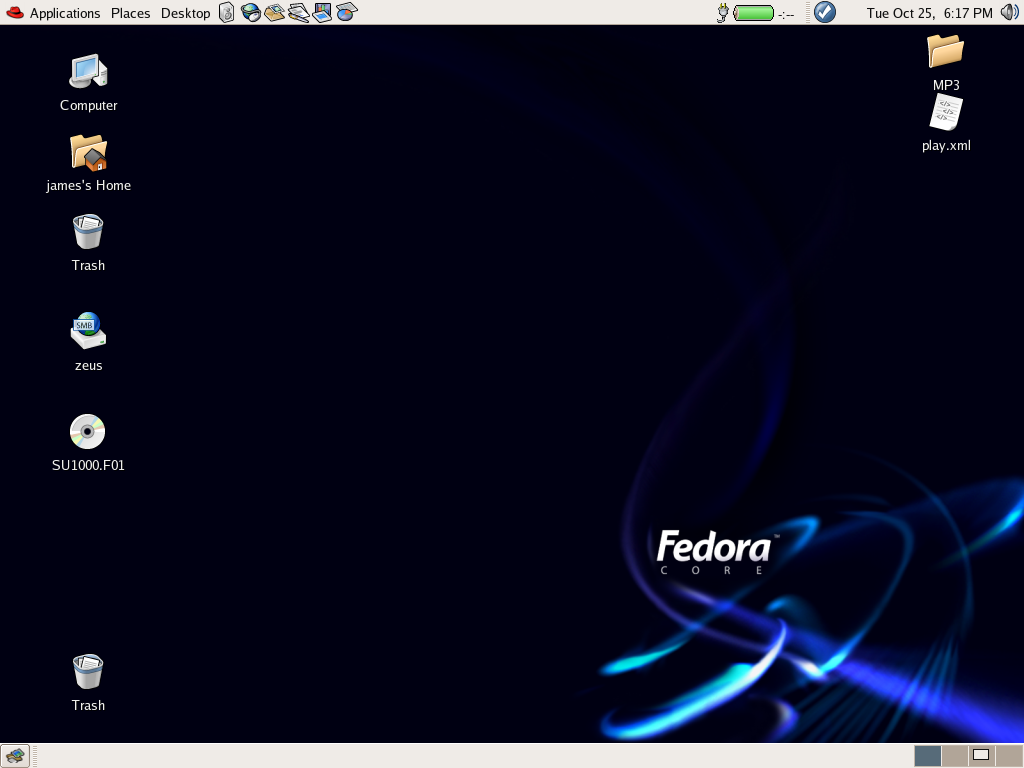
- Compaq Armada E500 Laptop
- 700MHz Intel Pentium III
- 256MB PC133 SDRAM
- ATi Rage Mobility
- Intel Ethernet Pro 100
- Toshiba 10GB Hard Disk
- Netgear WG511 Wireless PCMCIA Card
Installation
I chose to use a network install via HTTP. This went quite smoothly, initially via a text interface for configuring the network and entering the address to install from, then a graphical interface for partitioning and package selection. Right from the start Fedora looks like a professional O/S, it’s not fluffy and cute, but it is very pleasant to look at. Partitioning was handled automatically by Disk Druid, no problems at this stage.
Fedora offers 4 options for package configuration; Personal Desktop, Server, Workstation and Custom. I chose a custom install as I wanted to install KDE 3.4 as well as the default GNOME desktop. I didn’t feel that package selection was a good as my usual distro (Mandriva). When selecting packages in Mandriva (or previously Mandrake) removing a package in one category meant the package would not be installed and that any other packages that were no longer needed would also not be installed. With Fedora it would appear that packages may appear under more than one category and therefore may be installed if you remove them from your selection in one category and not in another. This doesn’t bother me too much, but if you really wanted to make sure a package was not installed then you may find this frustrating.
All my hardware was detected fine bar two items. The first I’m not too worried about as only the latest version of Mandriva has allowed me to use it, and that’s the wireless network card. Mandriva offers the option to use NDISWrapper during the install, but more about that in another review 🙂 The second item was the monitor, but this was resolved simply by choosing a generic monitor capable of 1024×768 (before doing this I could only select 800×600). Once again, this really didn’t bother me and I don’t believe it would have caused anyone adept enough to attempt an O/S installation any problems.
First Boot and Beyond
Fedora Core 4 has a very nice graphical boot display, it’s not a necessity but it’s certainly a nice touch. The GDM theme is very pleasant and professional looking. Logging in takes a while, but that would probably be improved by running it on something a bit quicker!
The GNOME desktop is pleasant, easy on the eye and uncluttered. I’m usually a KDE user but I like the idea of using two bars. The bottom bar shows open programs, a view desktop button and the Workspace Switcher. The top bar has the menus, shortcuts, clock, volume control and battery monitor. There’s also an Up2date button that monitors available updates. So far, there’s none available so it’s not a feature I’ve been able to test.
 The menu structure is good, I like a menu that’s not cluttered and Fedora have managed to organise everything into only 6 headings. OpenOffice.org, Firefox and Evolution are all available as shortcuts on the top bar, I can’t imagine these aren’t the most commonly used applications for many people and they’re always removable if necessary. Also available on the top bar is a Desktop menu where you can change desktop settings, lock the screen or log out. I’m not sure if it’s a GNOME desktop thing or it’s something Fedora have added themselves, but there’s also a Places menu. This allows easy network browsing and access to your own files and mounted network shares.
The network is all set up and ready to go, I can get my email and surf the web without 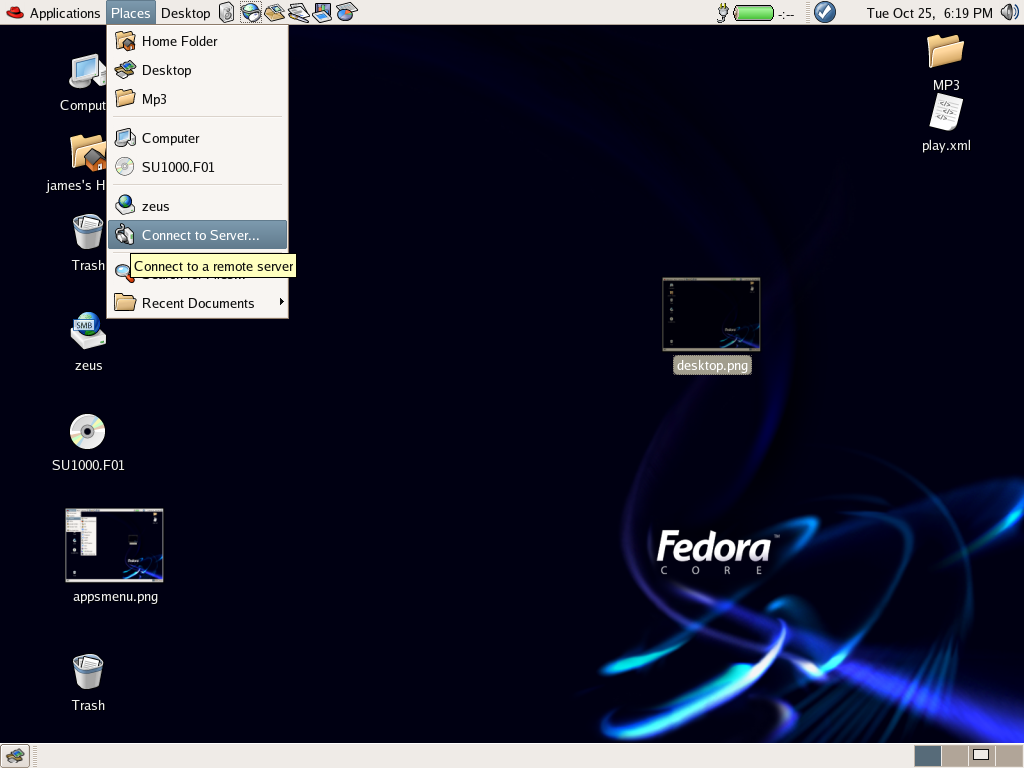 having to configure anything else (other than my account settings of course). I’ve heard plenty about Fedora’s lack of multi-media capabilities out-of-the-box, I don’t see it as a big problem as you only have to add them once. Flash and Java are easy enough to install for anyone familiar with Linux and certainly doesn’t take long; very few distros install these by default so I don’t see it as something to complain about. Not being able to play MP3s is a little unusual, but only required installing plugins for whichever application you prefer. Once this is done it’s on a par with other distributions.
Fedora happily mounted my USB flash drive and put a helpful icon on the desktop, this was done consistently and without user intervention. It also did this for CD’s so I was happy with the desktops’ behaviour as far as removable media goes.
All in all I’m very pleased with this latest incarnation of Fedora but I think what it really lacks is a Mandriva or SUSE style central configuration tool. I’m very fond of being able to control everything from one place rather than having to hunt through menus for various applications to configure different parts of the system.
Next Up: SUSE 10.0
Apostasy
Linux-Blog Editors Note: Fedora Core 5 is due out February 2006. We’ll have Apostasy take another look at things then and see if Fedora Core has improved any for him.

Come on with a REAL challange. I was running SuSE v9.0 on my Micron laptop. It’a a Pentium M(original) 266Mhz, 128MB RAM, 5GB HD, and 24x CD-ROM. No way I would install SuSE v10.0 on this after seeing how it ran on my PowerMac 7500 with only 80Megs. What am I using now? Damn Small Linux, v2.0/RC1. I only really use the laptop for web surfing when I am out, and it only has an 802.11b card anyway. The only thing that the previous version did not detect properly was my IBM-style trackpoint mouse. The new version detected and set up everything except sound(an old sound blaster 8bit type card – easily set up manually). It’s perfect for grabbing my email on the go at a hot spot. Now that’s making use of old hardware.
A 700MHz P3 with 256M of memory is hardly “old” for a Gnome or KDE desktop. It’s a perfectly average spec for a home user. Current Gnome versions run suprisingly OK even on my Thinkpad 600 – that’s “old”. 🙂
These laptops only usually have 64MB of RAM and they are also around 8 years old, so I’d hardly call it new. It may not be ancient, but these distributions are known for being unresponsive on powerful desktop machines. I was also interested in how they would cope with hardware detection on an older laptop, laptop hardware being a little more unsual.
Having said all this, I’m always open to contructive criticism, corrections and suggestions 🙂
I run Xfce (xfce.org) on FC3 on a Celeron 400MHz with 64Mb RAM. Runs pretty good. Gnome would be far too slow for 64Mb – personally I think Xfce should have been kept in Core past FC3, to make it easy for new users with old hardware.
Try running an OLD Gateway Solo 2000.
I have Slackware on one of those… it doesn’t even have DMA for the hard drive which by the way it’s only 540 Mb. The CPU is a Pentium 90 with the f00f bug and it has 24 Mb of RAM. I am running Apache + PHP + MySQL plus I use it as a print server just fine. I’ve even ran blackbox and ted and dillo with no problems.
Hi! How can I download Fedora core 4?
Go Here:
http://fedora.redhat.com/download/
now do a gentoo install on your old hardware, and see how much faster it runs 🙂
I have Fedora Core 4 running on a Compaq Armada m700 with a PII 366 with 192MB memory and an upgraded 5400rpm hard disk. It’s kinda slow, but usable. The hard disk and extra memory make all the difference as I simply couldn’t imagine running on 64k with a 4500rpm disk.
Everything works fine but neither of my wireless PC cards work. From what I have heard, there is no native support in this kernel version anyway.
What is impressive is the font quality improvements of Linux in general. Text used to look terrible, and now it looks fantastic with 1024×768 desktop resolution. Printing on my HP Business Inkjet 2200 works slow, but the print quality is very good. At 600dpi the photo quality is quite decent.
Now off to configure NDISwrapper for my wireless nics.
I have one exactly like mike, but with only 64 MB RAM and the old 6GB HD. Vector Linux (Slack)slow but usable, simply using svgalib for links -g and mplayer. I’ve to upgrade to 128 MB cause it’s running always on swap memory and firefox goes 2 minutes to start. Configured very well, 1024×768, I’d like to buy another HD to install Win98 (to use in tandem if I want compatibility with my network) now with samba works good.
You guys were lucky. I had to install my linux on an abacus.